Placing New Components
Certain frequently used components; such as resistors, capacitors, and inductors; can be selected for placing on the schematic with a toolbar button.
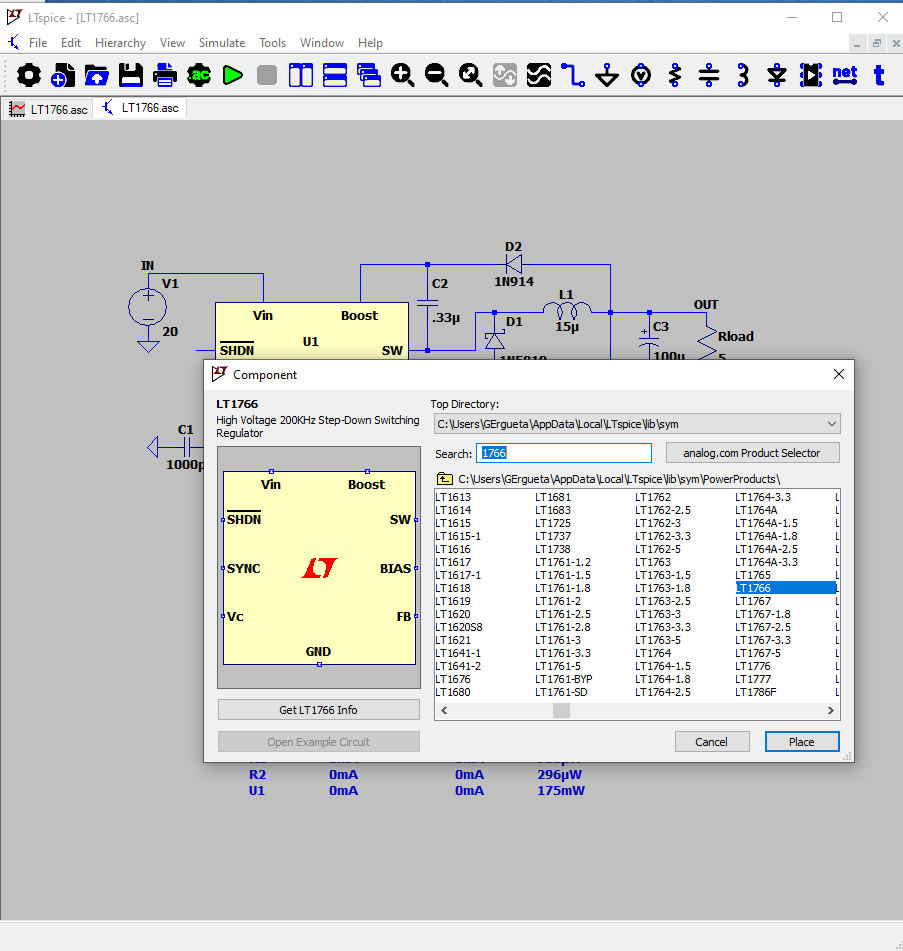
For most symbols, use menu command Edit > Component to start a dialog to browse for the device you wish.
The symbol browser includes some important features:
- The button "analog.com Product Selector" brings you to the on-line ADI production selection tool.
- You can type in the first few letters of the symbol name and the browser will jump to that symbol.
- There is a button to open an example circuit for the Analog Devices models, and there is button to
- The symbol and its description is displayed.
- Any of the symbol search paths set up in the Settings can be selected.
Copyright © 1998–2025 by Analog Devices Inc. All Rights Reserved.